Inventory Account
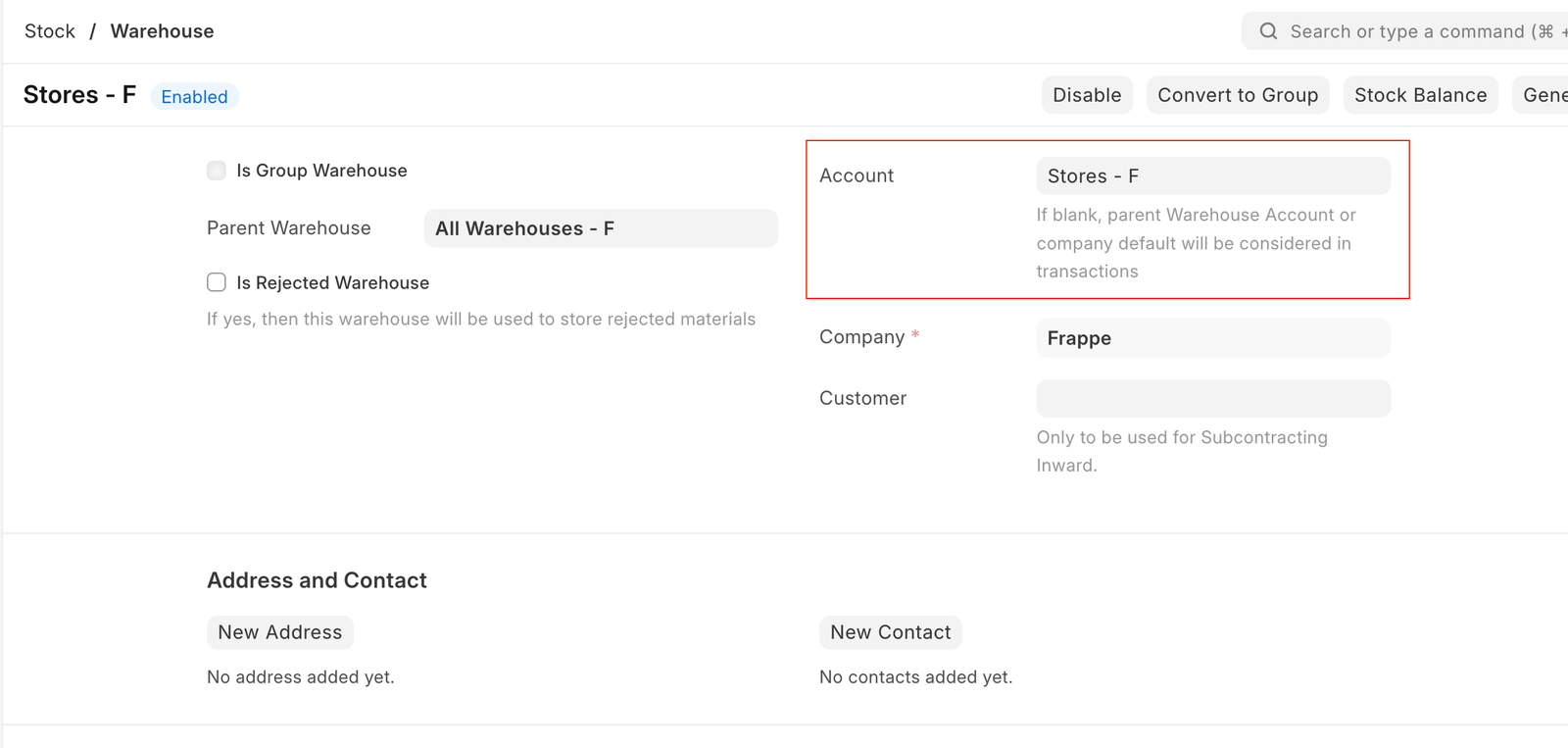
In EnigmaERP, users can either set up a Warehouse-wise Inventory Account or use the default Inventory Account from the Company master, which is 'Stock In Hand.'
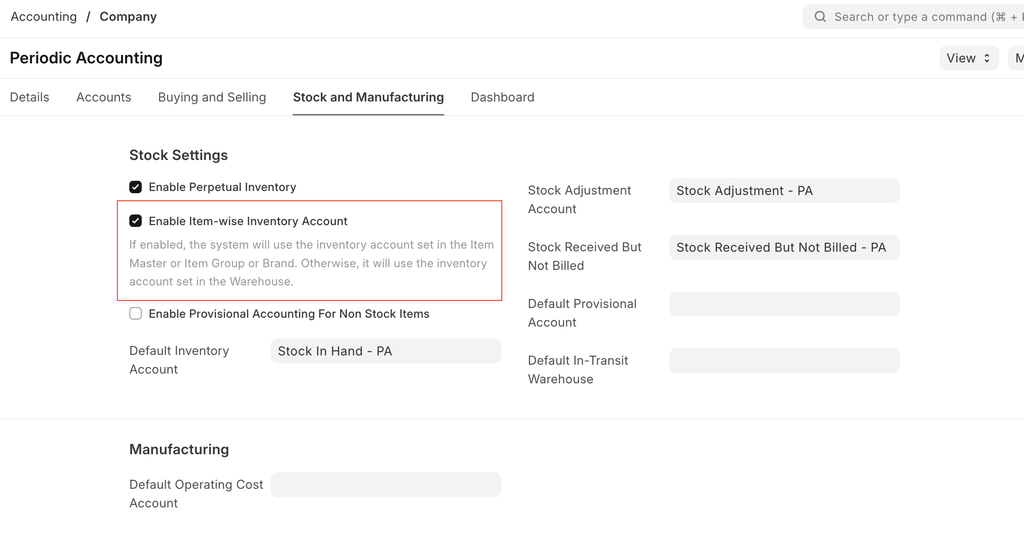
From the Version 16, users can also able to set the Item-wise Inventory Account. To do this, they need to enable the option 'Enable Item-wise Inventory Account' in the Company master.
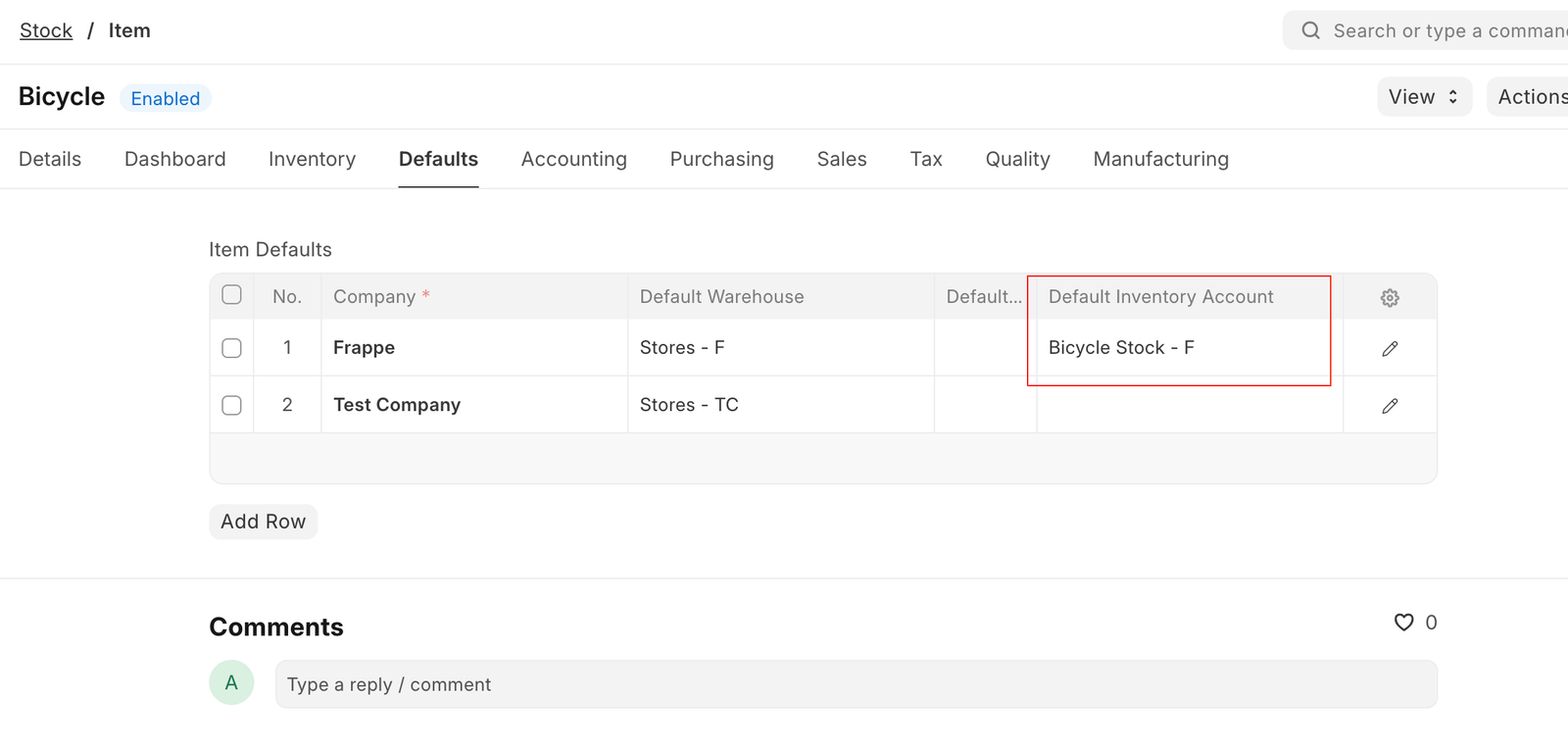
After enabling it, users can define the Default Inventory Account in the Item master. Alternatively, they can set a Default Inventory Account at the Item Group or Brand level if they do not wish to define it for each item individually.
Users can choose to use either item-wise or warehouse-wise inventory accounts, but not both.
Adapted for EnigmaERP from the ERPNext documentation,
© Frappe Technologies Pvt. Ltd. Content licensed under
CC-BY-SA 3.0.
EnigmaERP is a product of Enigma and is not
affiliated with or endorsed by Frappe Technologies Pvt. Ltd.