Change User Password
'Change Password' is used to change the password of any existing user.
Each EnigmaERP user can change password for his/her EnigmaERP account. Also user with System Manager role will be able to reset password for himself as well as for other users.
How to change password?#
- Go to User List
- Open the user for whom the password needs to be changed
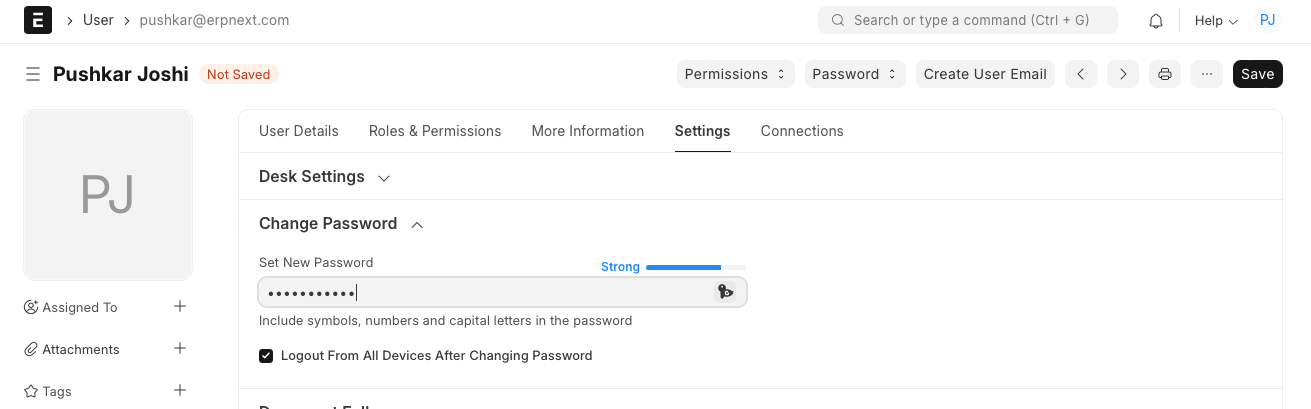
- Go to 'Settings', and expand the section named 'Change Password'
- Enter the new password and save the form
Note:- Based on the complexity of the password, the system indicates whether the entered password is Weak or Strong
Adapted for EnigmaERP from the ERPNext documentation,
© Frappe Technologies Pvt. Ltd. Content licensed under
CC-BY-SA 3.0.
EnigmaERP is a product of Enigma and is not
affiliated with or endorsed by Frappe Technologies Pvt. Ltd.