Shopping Cart
In addition to listing products, EnigmaERP also allows selling them via the Shopping Cart.
To enable Shopping Cart, go to:
E Commerce Settings > Shopping Cart
You can even build a landing page for your store at a custom route (eg. /store). Learn More.
1. Item Types#
Shopping Cart works differently for Items with and without variants.
1.1 Items without variants#
Items without variants have their dedicated product page and an Add to Cart button.
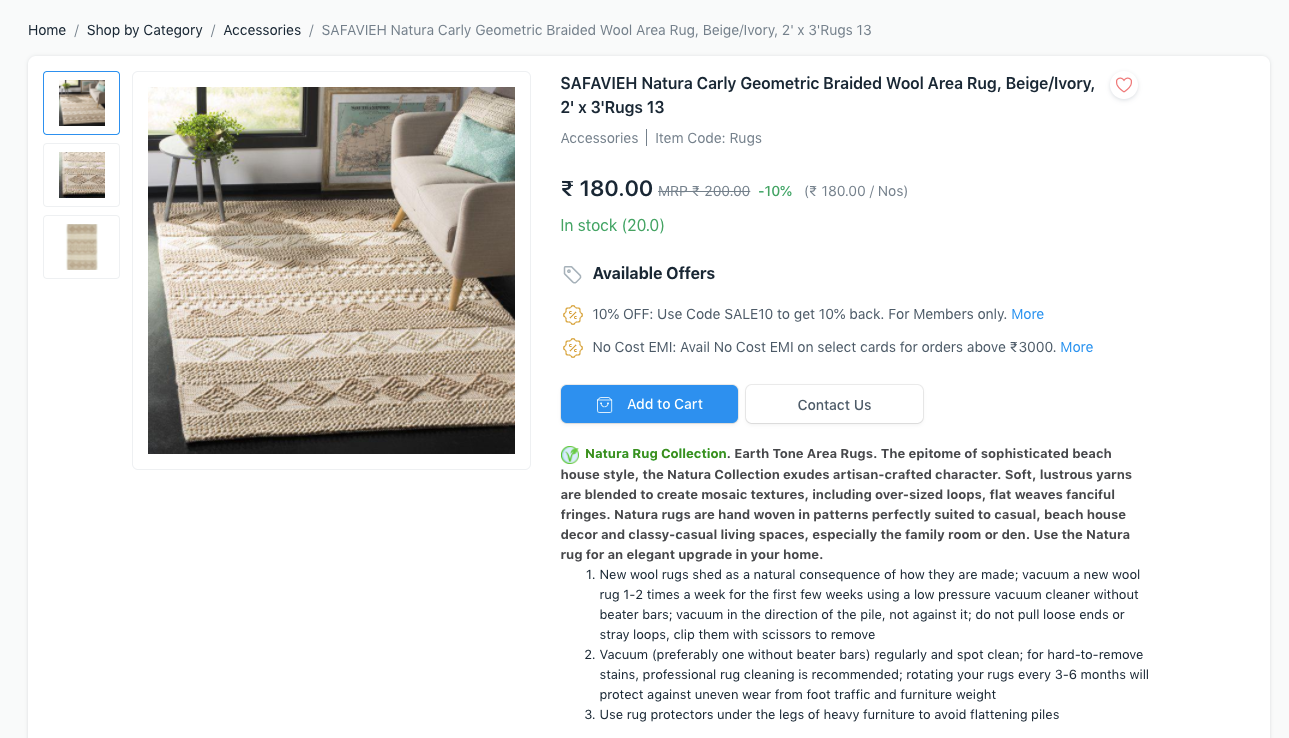 Item without Variants
1.2 Items with variants#
Since Item Templates can't be bought directly, there is a Configure button to choose the specific variant and add it to cart.
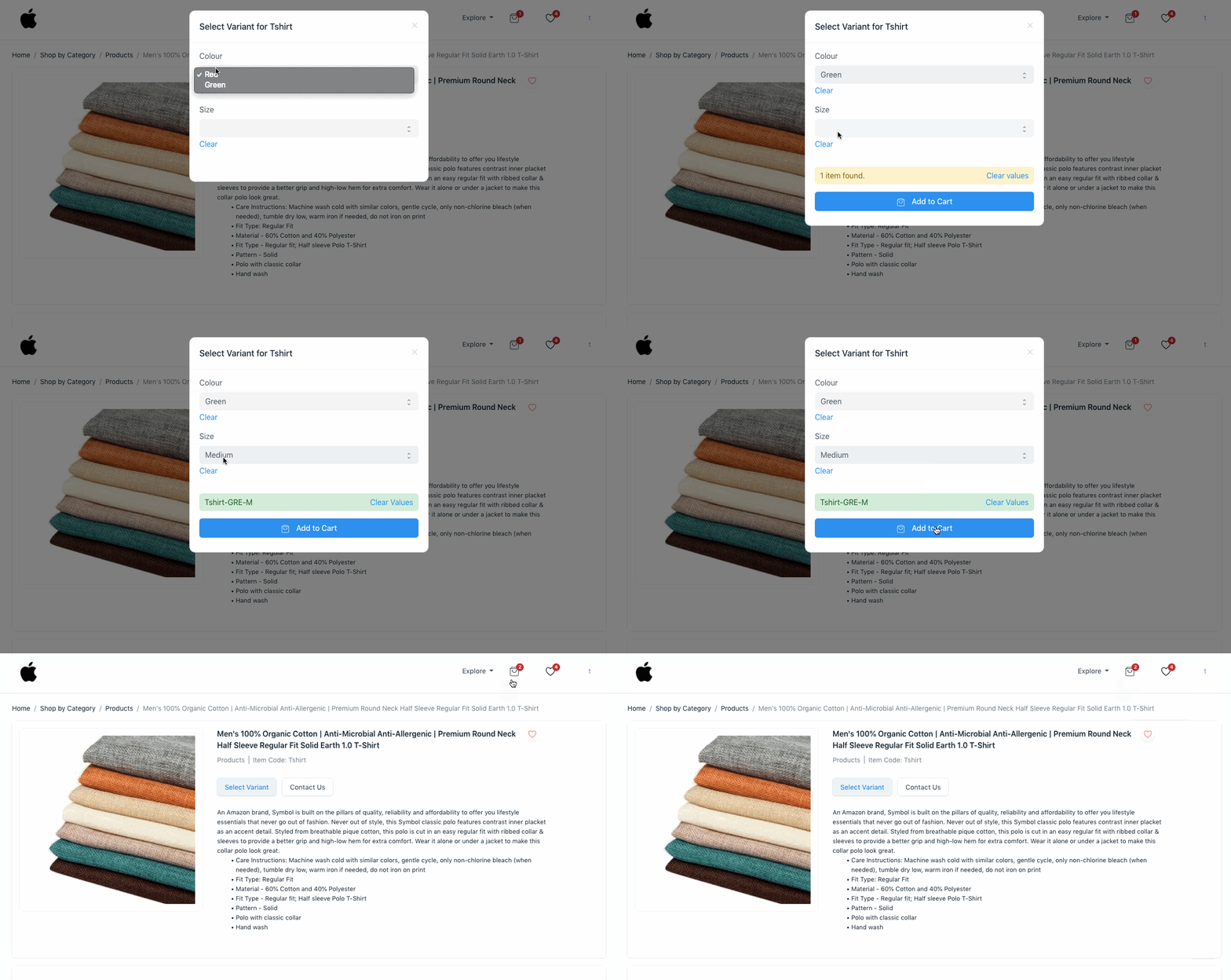 Item with Variants
2. Cart Quotation#
If checkout is disabled, when your customers add an item to cart, they can click on the Request for Quotation button to get a quote for it. A Quotation is generated in the system.
3. Cart Checkout#
You can enable checkout from the Checkout Settings section in E Commerce Settings.
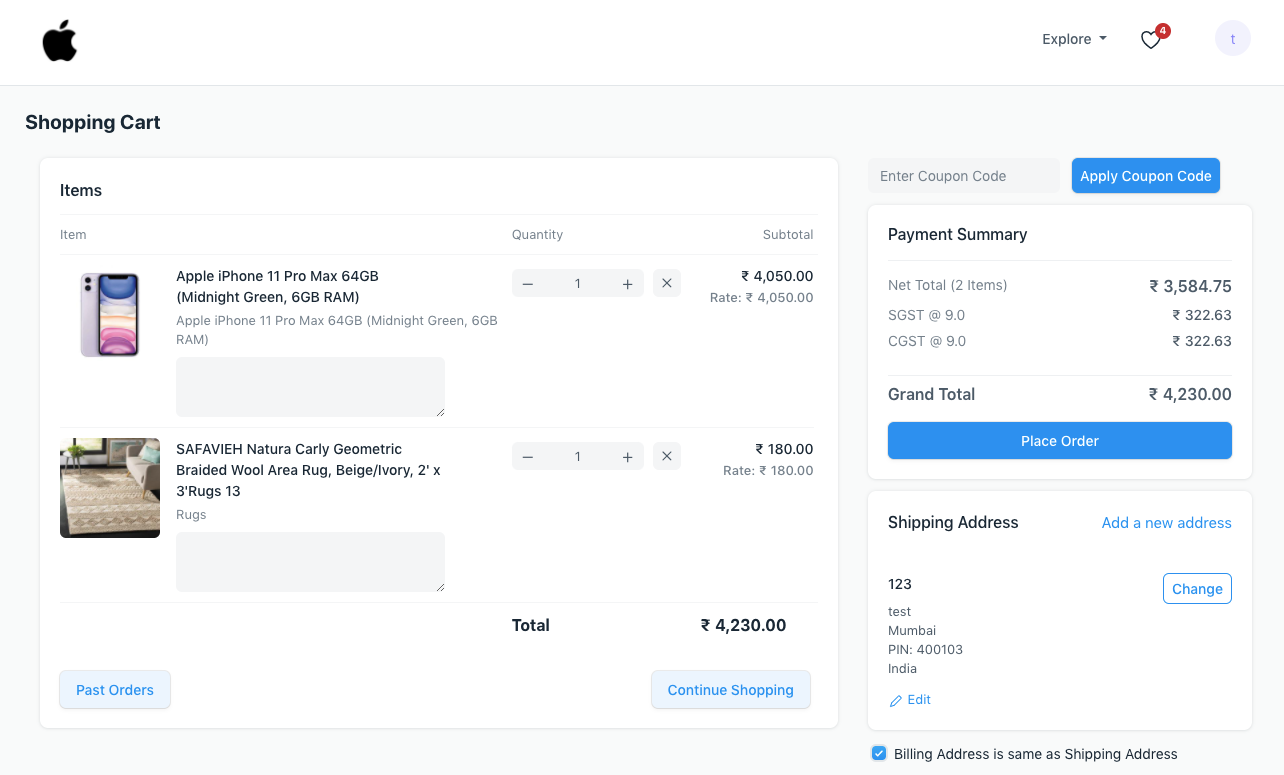 Cart Checkout