Google Calendar Integration
EnigmaERP provides an integration with Google Calendar in order for all users to synchronize their Google Calendar Events with EnigmaERP.
How to set up Google Calendar Integration#
In order to allow a synchronization with Google Calendar, you need to authorize EnigmaERP to get Calendar Events data from Google. Google Calendar Integration is set up with the following steps:
- Create OAuth 2.0 Credentials via Google Settings.
- In the Google Calendar list, click on New. Enter Calendar Name and the User for whom you want to sync and then save it.
- Depending what data you want to sync, you can select following
- Pull from Google Calendar - Syncs all event from Google Calendar to EnigmaERP.
- Push to Google Calendar - Syncs all event from EnigmaERP to Google Calendar.
- Now click on Authorize Calendar Access to authorize EnigmaERP to get Calendar Events data from Google.
- Once Authorized, you can manually sync Google Calendar Event or let EnigmaERP sync Google Contacts daily.
How to use Google Calendar Integration#
Creating an Event in EnigmaERP#
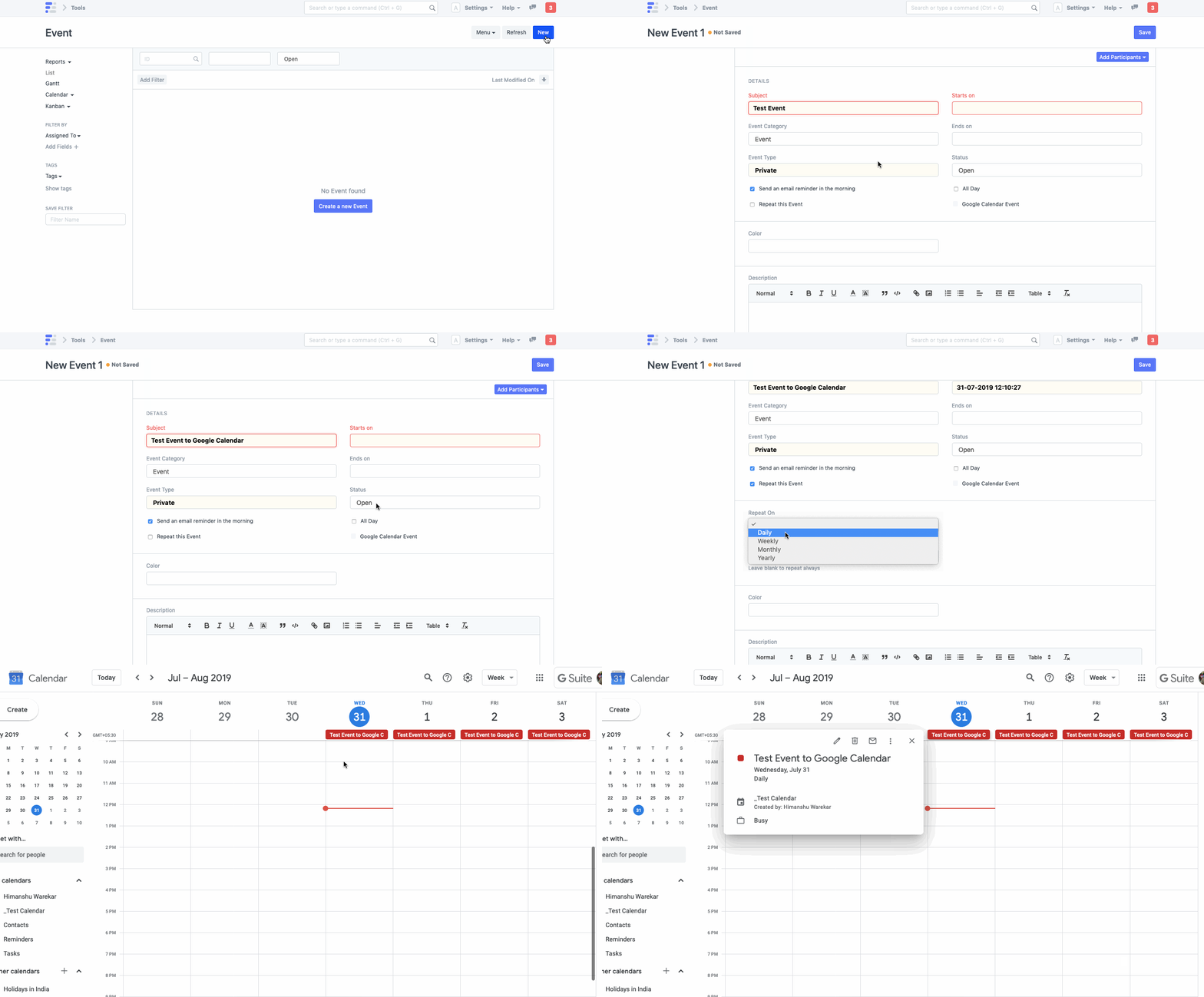
- Once Google Calendar Integration is succesful, all the events created in EnigmaERP will be synced if
Push to Google Calendaris checked. - Creating an Event in EnigmaERP
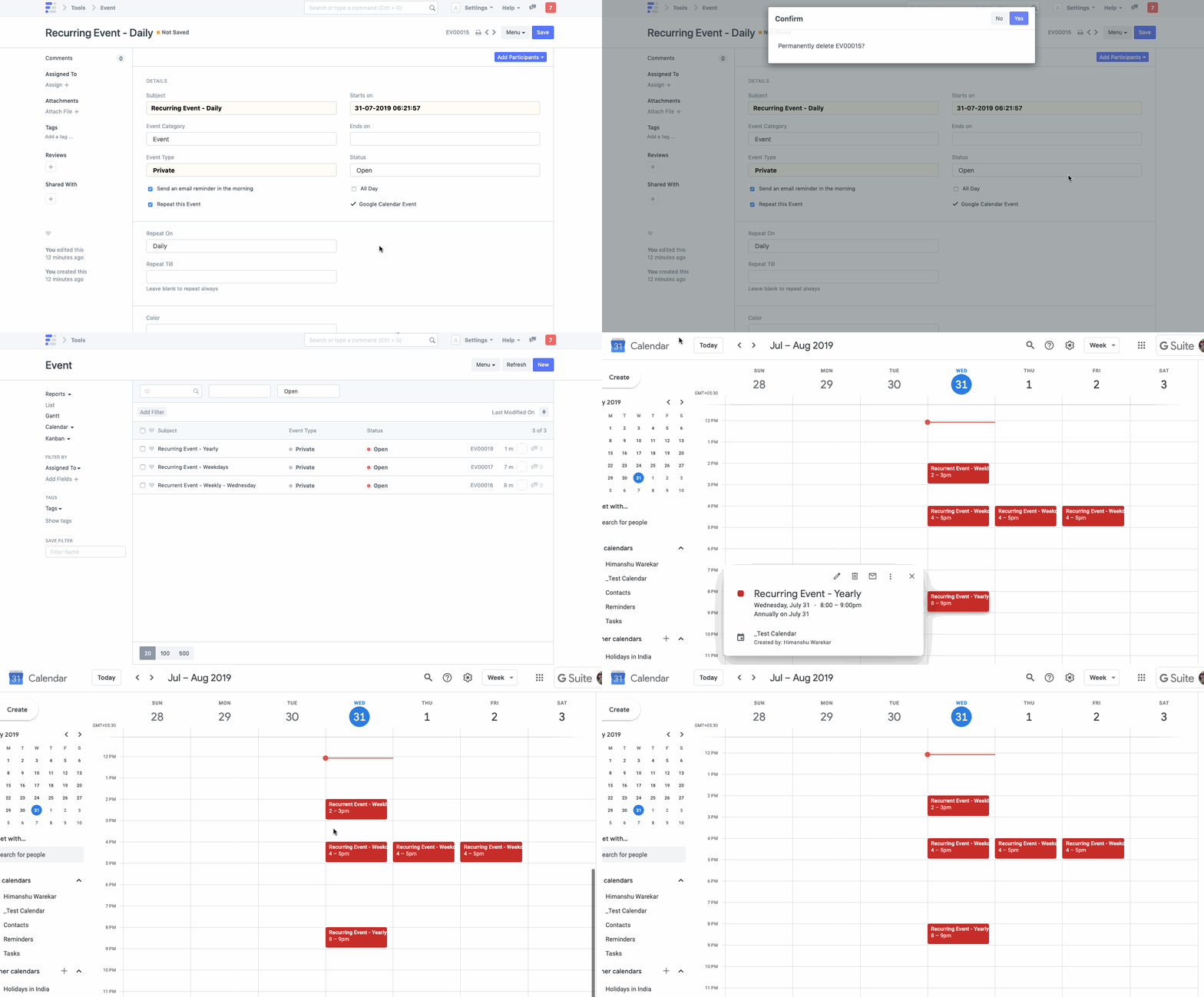
- Deleting an Event in EnigmaERP
Syncing Events from Google Calendar#
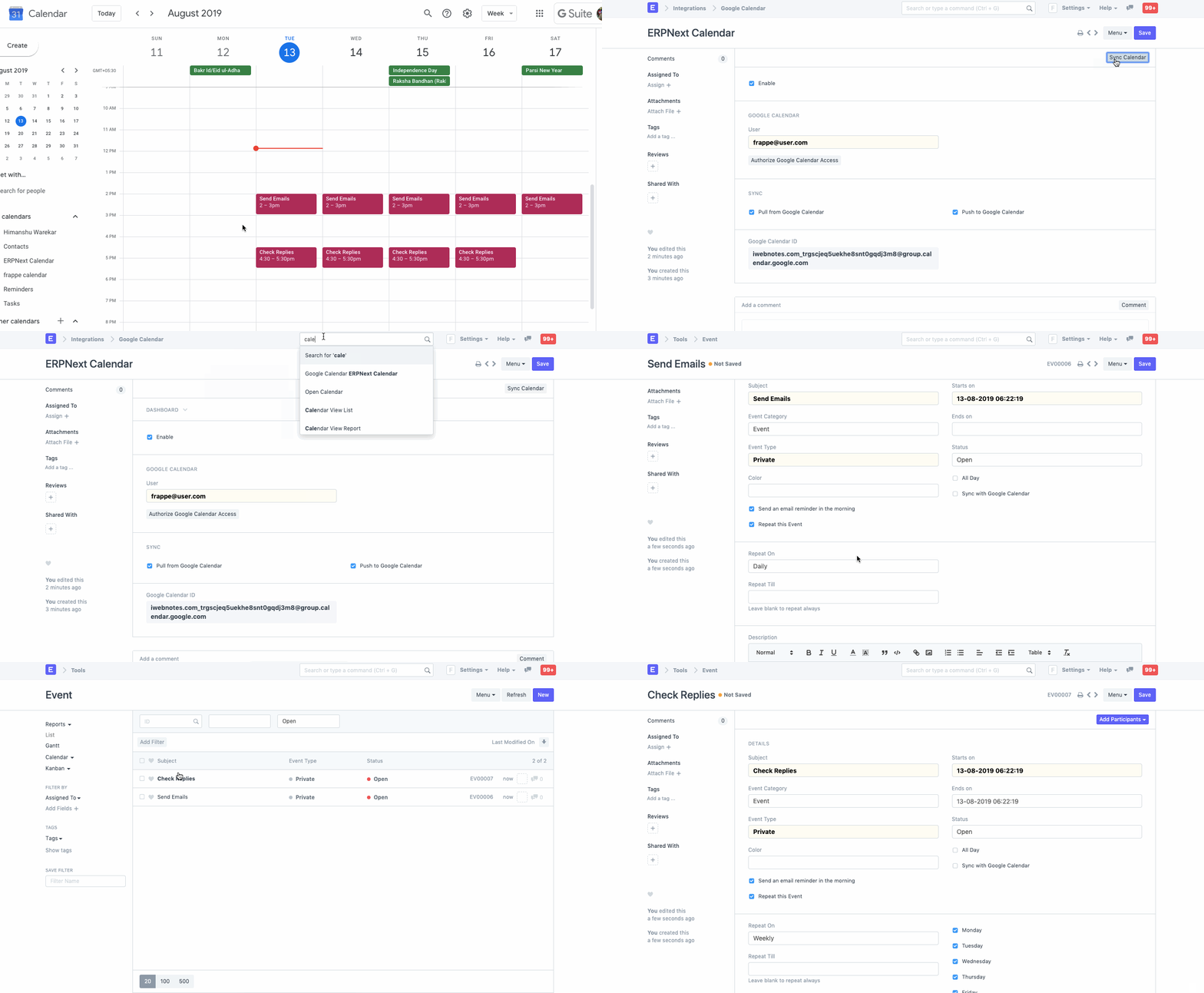
- Once Google Calendar Integration is succesful, all the events in Google Calendar will be synced if
Pull from Google Calendaris checked. - Syncing Events from Google Calendar to EnigmaERP
Adapted for EnigmaERP from the ERPNext documentation,
© Frappe Technologies Pvt. Ltd. Content licensed under
CC-BY-SA 3.0.
EnigmaERP is a product of Enigma and is not
affiliated with or endorsed by Frappe Technologies Pvt. Ltd.