Remove Link at the Bottom of the Print Page
Question:
How to remove the EnigmaERP link at the bottom of the page while printing it?
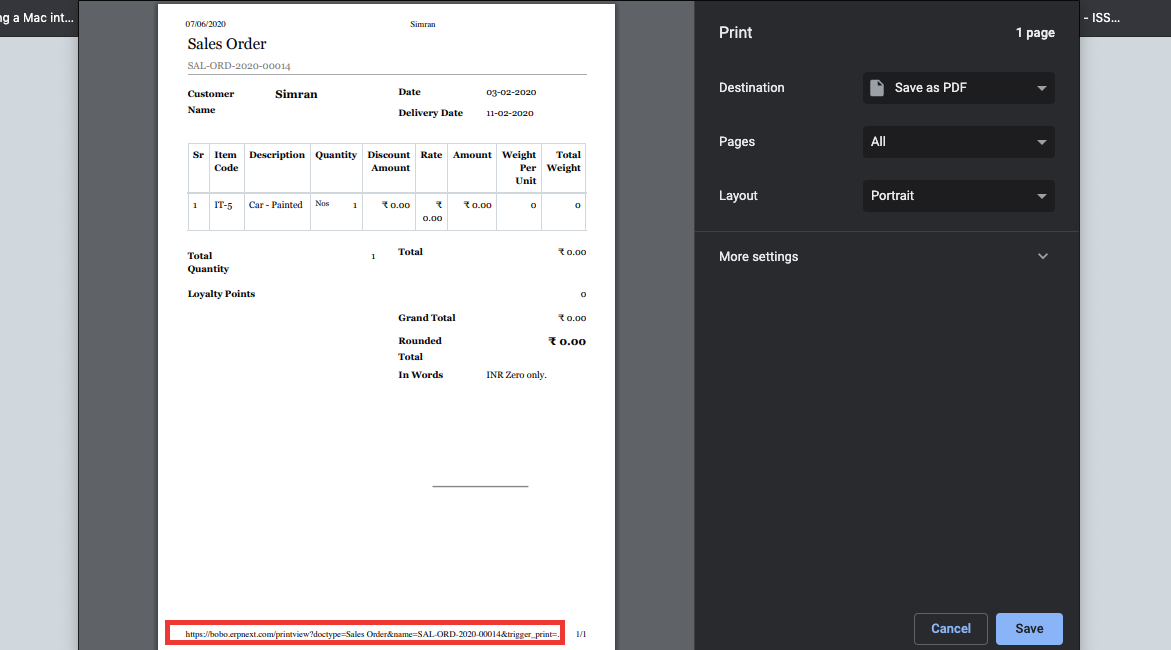
Solution:
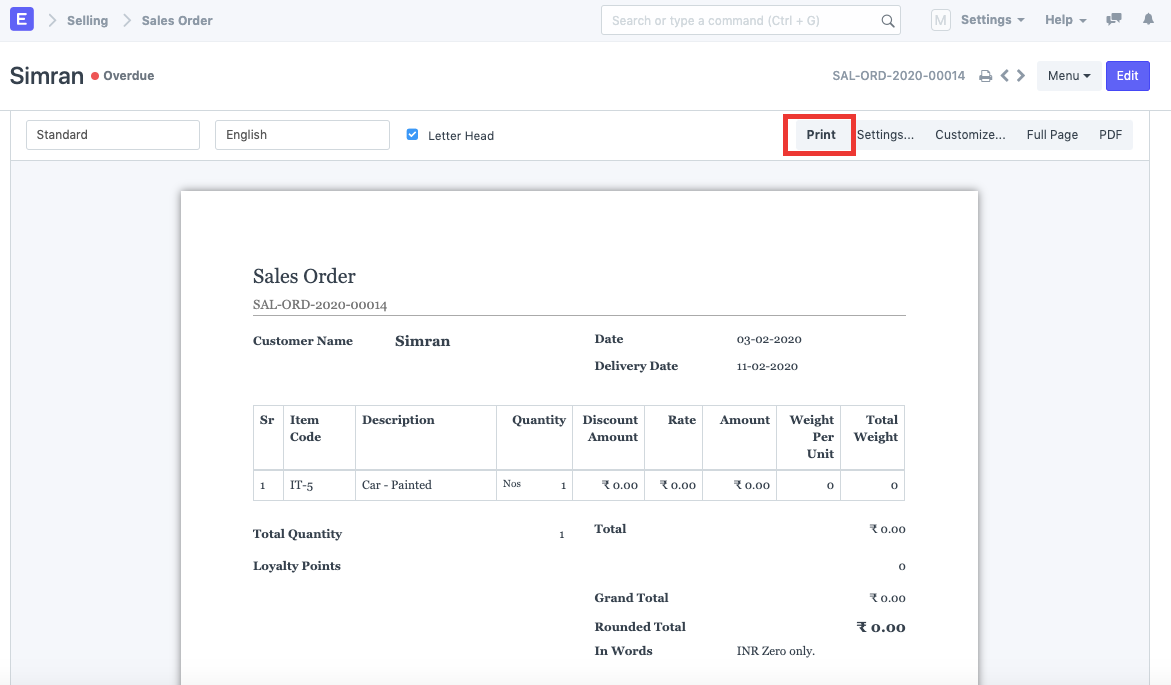
To remove the url at the bottom of the print page, following the below steps:
1) Click on the Print button.
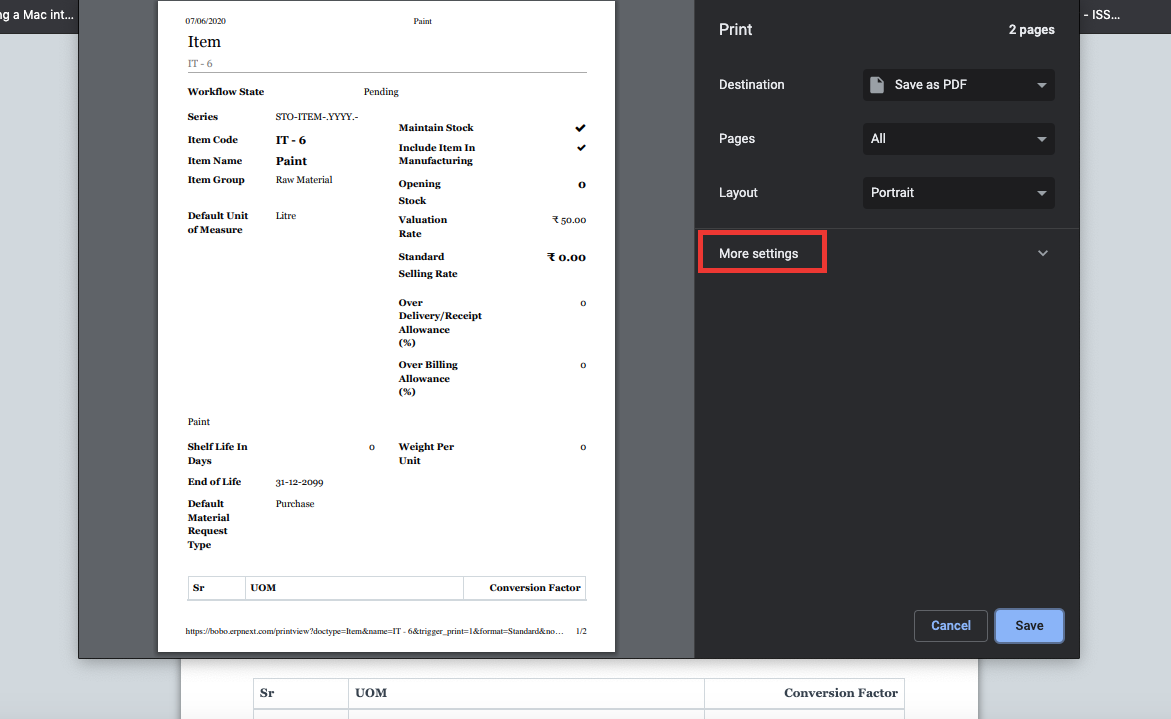
1) Click on "More Settings"
1) Uncheck the "Headers and Footers" checkbox.
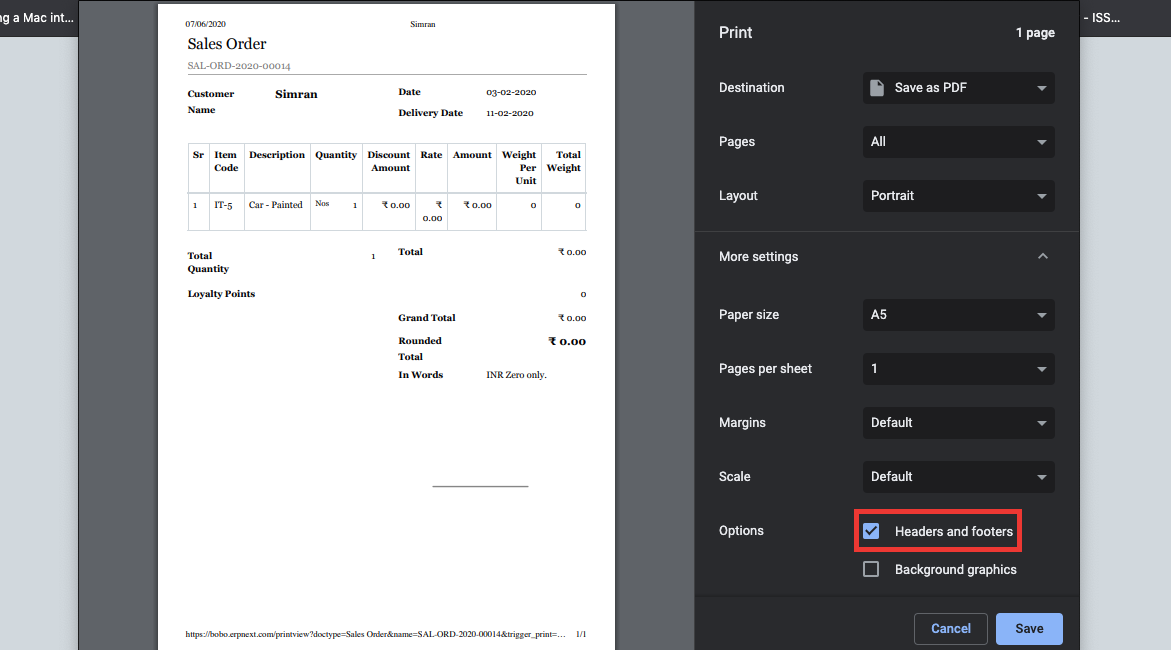
1) Click on Save.
Adapted for EnigmaERP from the ERPNext documentation,
© Frappe Technologies Pvt. Ltd. Content licensed under
CC-BY-SA 3.0.
EnigmaERP is a product of Enigma and is not
affiliated with or endorsed by Frappe Technologies Pvt. Ltd.