Add/Remove Fields from Print Format
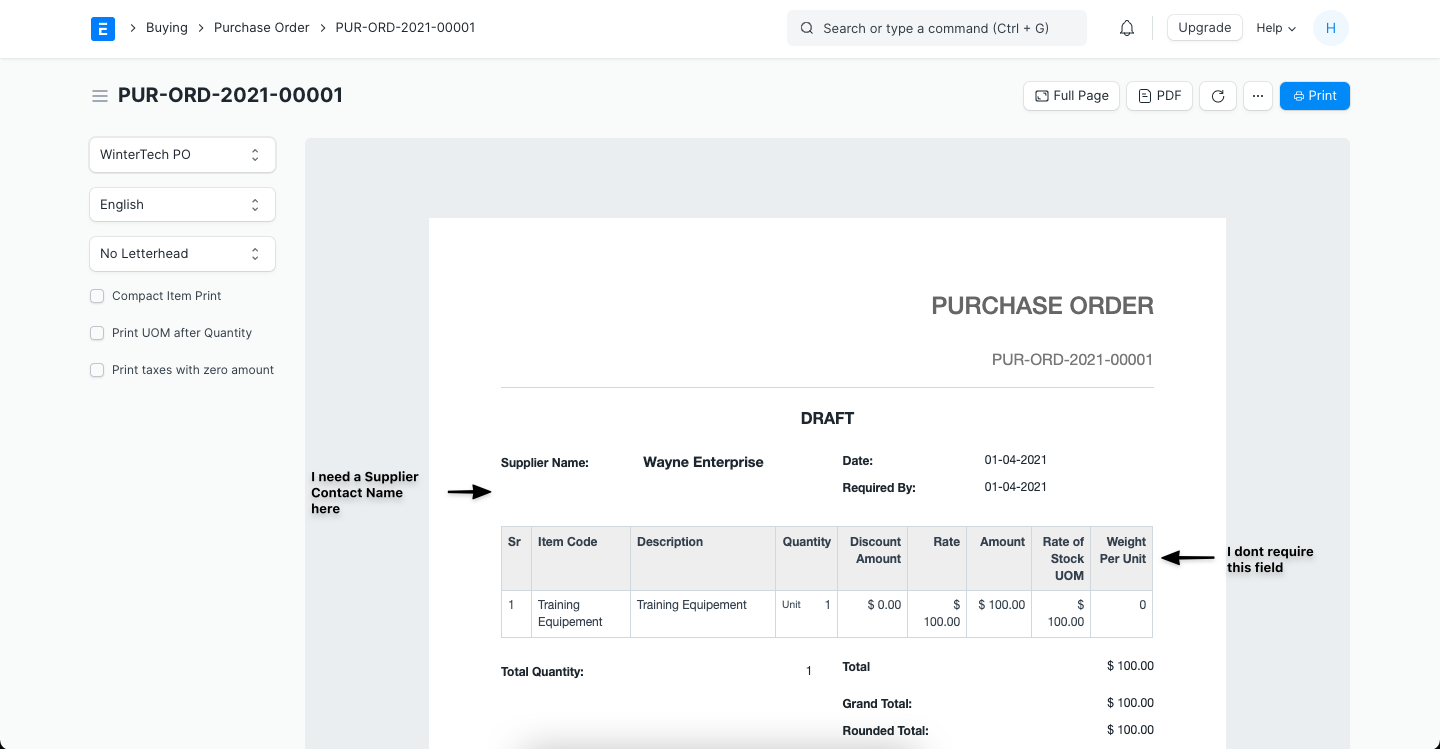
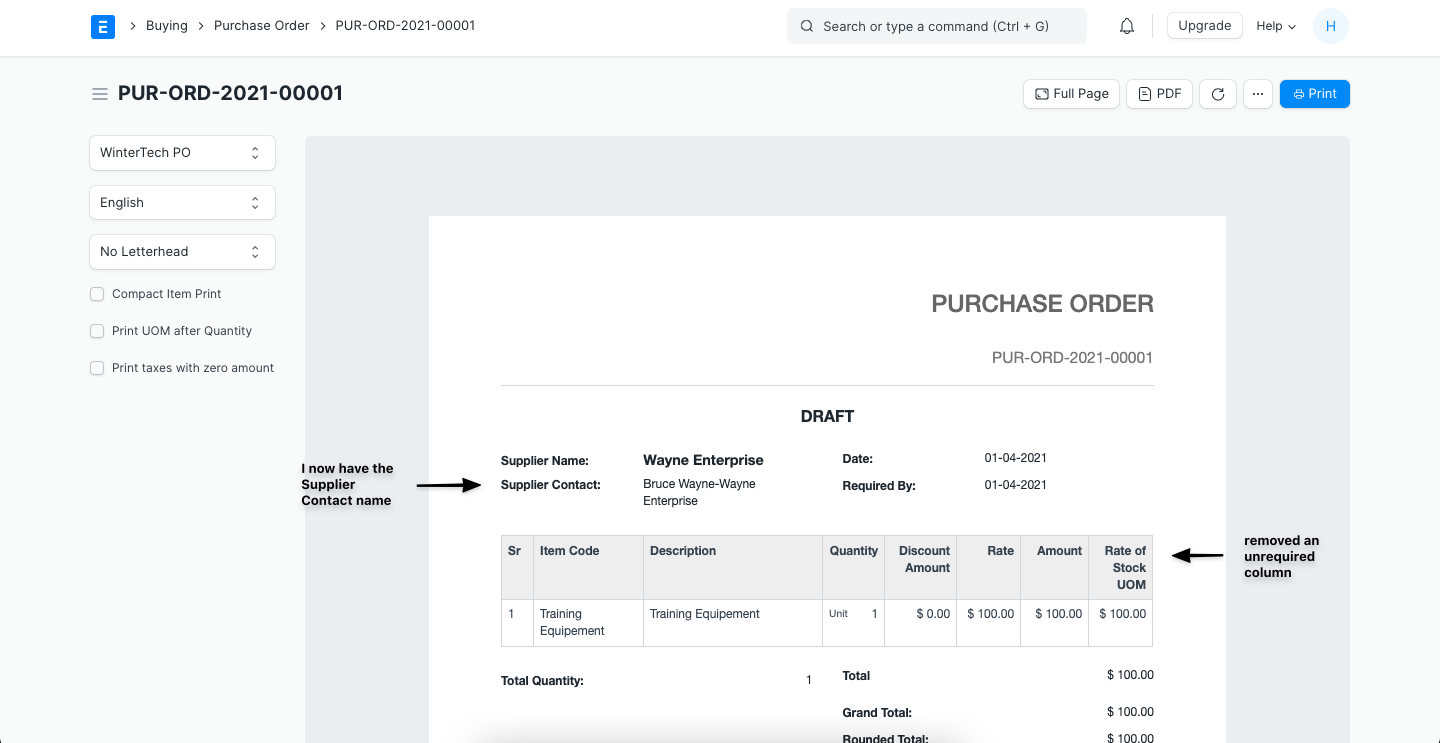
To explain, let's consider Purchase Order which has the following fields in the Print Format, and here, I want to add 'Supplier's Contact Name' under Supplier Name and remove the 'Weight Per Unit' column from the Item's table.
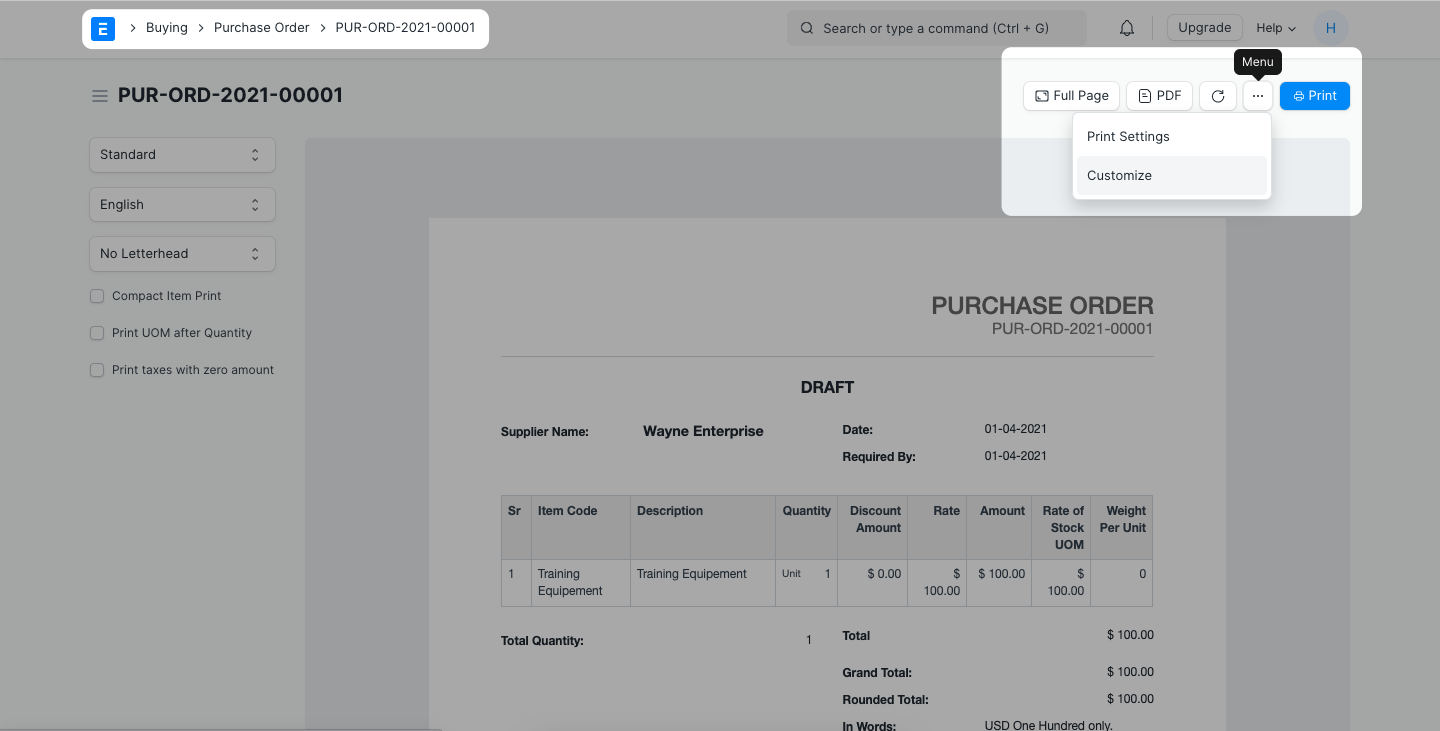
Step 1: Navigate to the Print View of the document you want to change the Print Format of -> Menu (...) -> Customize
Step 2: Search for the field by name and add it to the desired location
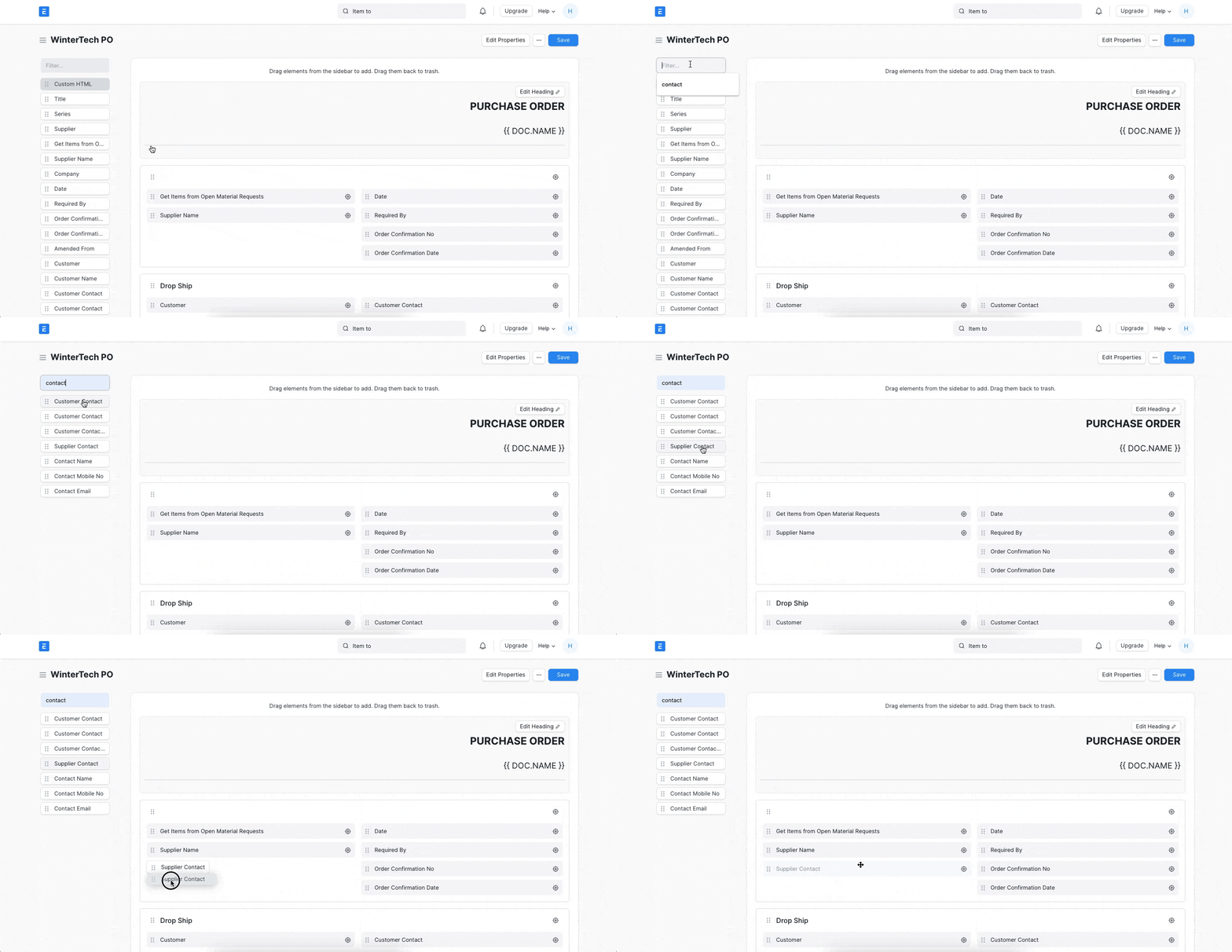
Follow the same drag and drop method to remove the fields as well.
Step 3: To add/remove the fields from the child table of the document: Locate the table -> Select Columns -> Check/Uncheck as you wish.
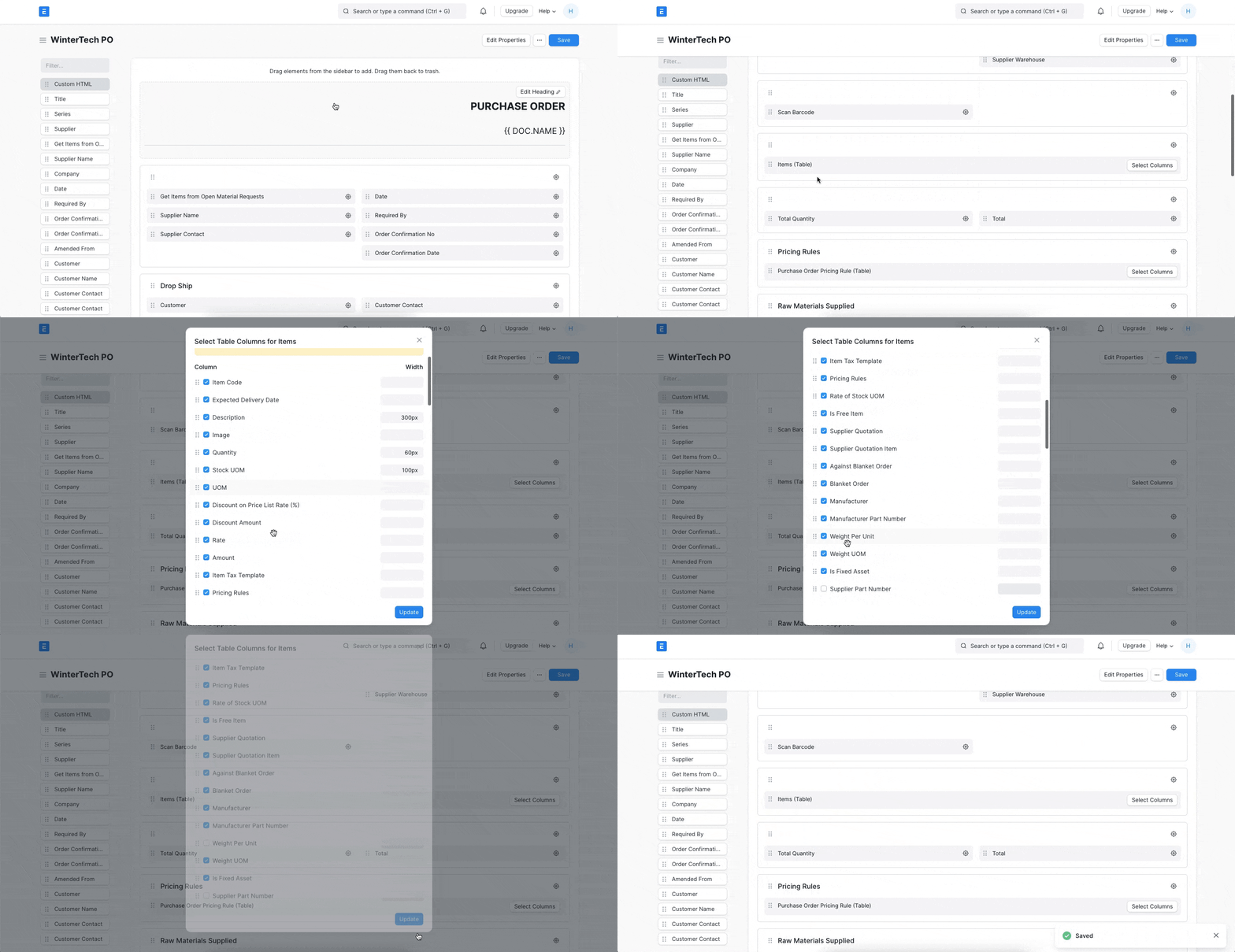
The result:
Adapted for EnigmaERP from the ERPNext documentation,
© Frappe Technologies Pvt. Ltd. Content licensed under
CC-BY-SA 3.0.
EnigmaERP is a product of Enigma and is not
affiliated with or endorsed by Frappe Technologies Pvt. Ltd.