Letter
A Letter is an official correspondence document used to communicate formally with Customers, Suppliers, Employees, Shareholders, or Contacts.
Letters provide a standardized method for preparing, formatting, and printing professional communication. Using Letter Templates with Jinja placeholders allows you to quickly generate consistent letters while maintaining a professional appearance using letterheads.
To open the Letter list, go to:
Home > Letter
1. Prerequisites#
Before creating a Letter, set up the following:
- Letter Type
- [Letter Template] (optional)
2. Creating a Letter#
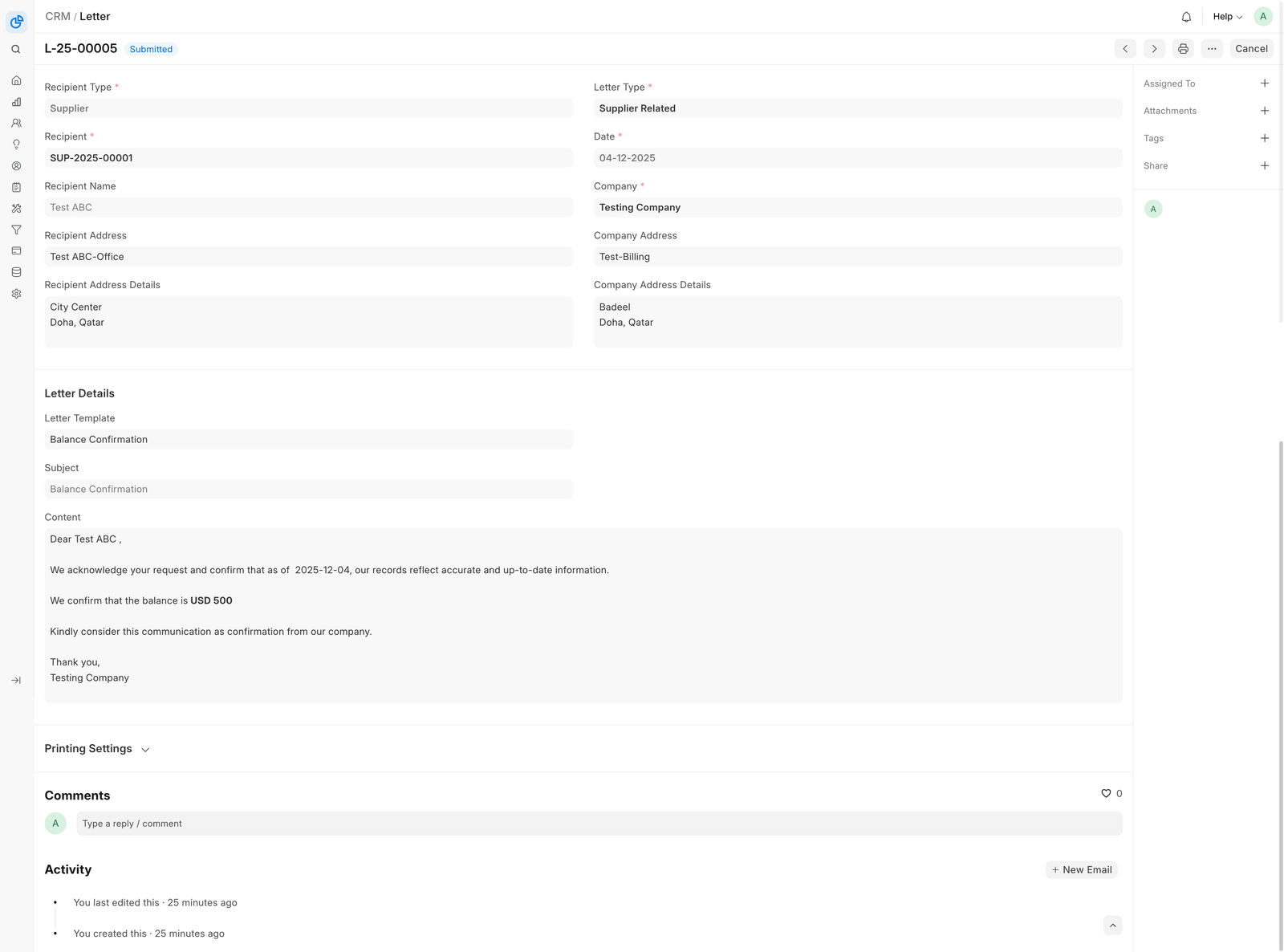
- Go to the Letter list and click New.
- Select a Recipient Type (Customer, Supplier, Employee, Shareholder, or Contact).
- Choose the Recipient based on the selected type.
- Select the Company issuing the letter.
- Select the Letter Type.
- Optionally choose a Letter Template to auto-populate subject and content.
- Enter or modify the Subject and Content.
- Save and Submit.
![Letter]
Additional options#
- Recipient Address: Choose an address linked to the recipient. The formatted address appears automatically.
- Company Address: Select the company address to display on the letter.
- Letter Head: Choose a letterhead for printing. Defaults to the company’s letterhead.
3. Features#
3.1 Dynamic Recipient Selection#
The Letter DocType supports multiple recipient types:
| Recipient Type | Use Case |
|---|---|
| Customer | Customer communications, acknowledgments |
| Supplier | Vendor communication and notices |
| Employee | HR and internal communication |
| Shareholder | Communication with investors |
| Contact | General formal correspondence |
When a recipient is selected, the Recipient Name is automatically fetched.
3.2 Letter Template#
Letter Templates allow predefined formats with dynamic Jinja content. When a template is selected:
- The Subject is populated
- The Content is rendered using Letter values
Example template:
```jinja Dear {{ recipient_name }},
This letter is regarding your account with {{ company }}.
Date: {{ date }}